
Blog
Apple AirTag 2nd Generation Review — Because Your Luggage Deserves to Arrive When You Do

“Picture standing at a baggage carousel that keeps moving. Every bag that isn’t yours feels like a small drop in the stomach. And then the belt stops. And your bag isn’t there.”
If you’ve traveled with any regularity, you know that feeling. The slow realization that the carousel is emptying. The walk to the lost baggage desk. The forms. The wait. The three days in a foreign city with nothing but what was in your carry-on. It is one of travel’s most reliably miserable experiences — and it happens to millions of people every year.
The Apple AirTag 2nd Generation was built to change that story. Not by preventing airlines from losing your luggage — nothing does that — but by giving you something far more valuable than a claim number: the exact location of your bag, in real time, on your iPhone, the moment you land. So when the carousel empties and your bag isn’t on it, you already know whether it’s two terminals away or still sitting in a city you left six hours ago.
This is the review for the traveler. For the frequent flyer who has stood at that carousel one too many times. For the person who checks a bag and spends the whole flight quietly hoping. For anyone who has ever paid for a holiday and then spent part of it waiting for their clothes to catch up.✈️ Check Apple AirTag 2nd Gen Price on Amazon.ae
The Story That Explains Why This Exists
Has your luggage ever arrived somewhere without you — or not arrived at all?
In 2023, airlines worldwide mishandled over 26 million bags. That’s roughly 5.6 bags per thousand passengers — a number that sounds small until it’s your bag in that statistic. For frequent flyers taking multiple trips per year, the cumulative probability of encountering a lost or delayed bag over time is not theoretical. It happens. And when it happens without an AirTag inside, the only information you have is what the airline chooses to tell you — which is rarely accurate, rarely timely, and never as precise as you need it to be.
The AirTag changes this dynamic completely. It doesn’t talk to the airline’s system. It doesn’t rely on their tracking. It uses Apple’s Find My network — a grid of over a billion active Apple devices worldwide — to pinpoint the location of anything with an AirTag attached, anywhere in the world, anonymously and encrypted. When your bag is sitting in the wrong terminal, a passing iPhone user’s device silently updates its location without them knowing or doing anything. You see it. You can act on it.
The 2nd generation, released in early 2026, takes this already powerful capability and extends it significantly — longer Precision Finding range, a louder speaker, Apple Watch compatibility, and an upgraded Bluetooth chip that keeps your bag on the map from farther away than ever before.
“The AirTag doesn’t stop airlines from losing your bag. It stops you from being powerless when they do.”
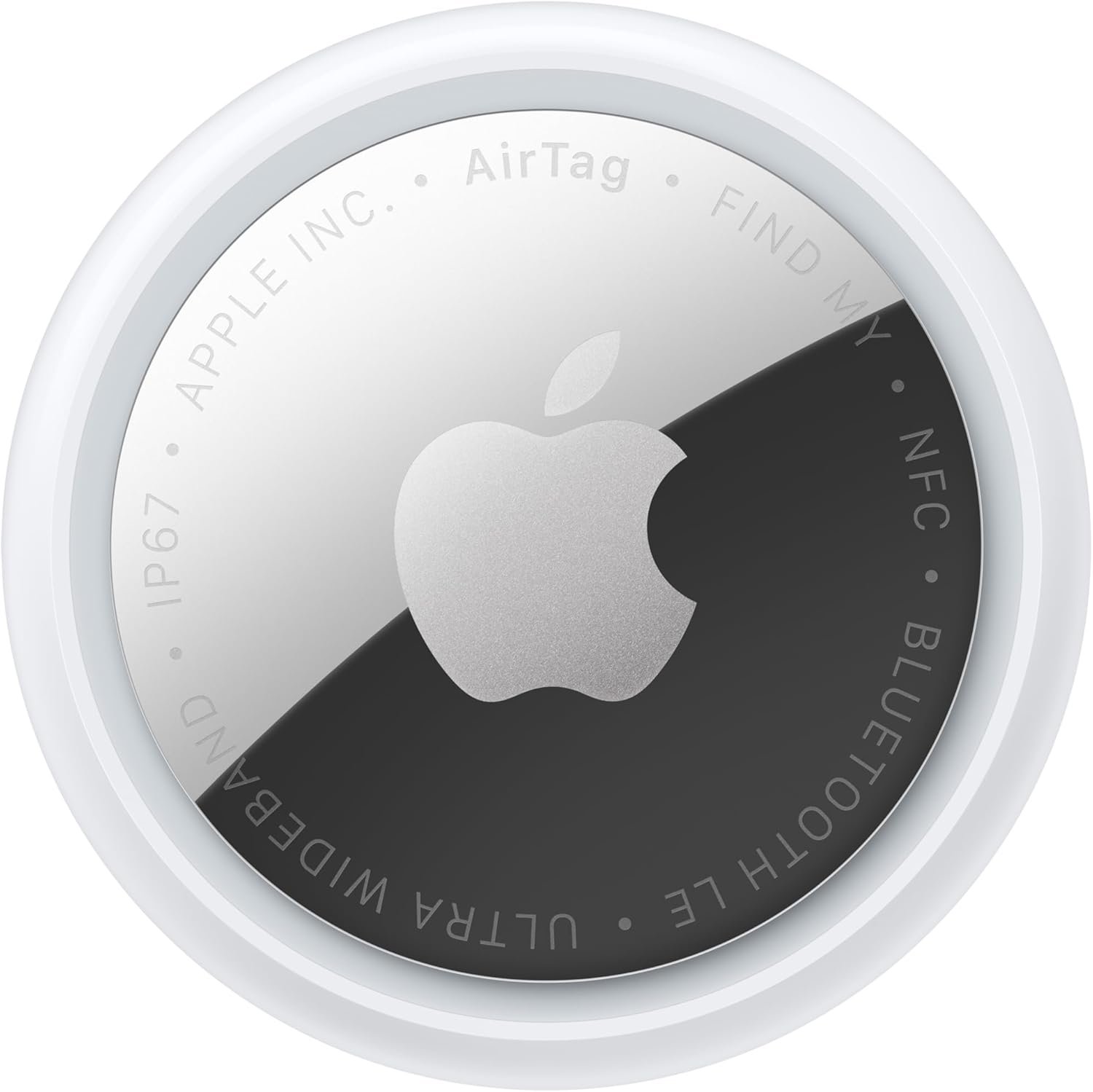
Apple AirTag (2nd generation)
Features
| Brand | Apple |
| Are batteries included | Yes |
| Material | Metal |
| Number of batteries | 1 Lithium Ion batteries required. (included) |
| Compatible devices | Smartphone, Tablet |
- FIND YOUR ITEMS ON FIND MY—AirTag (2nd generation) helps you keep track of what matters. Attach one to any item you want, and keep track of it using the Find My app.
- EXPANDED PRECISION FINDING ON IPHONE AND APPLE WATCH—Get step-by-step directions to your lost item on iPhone and...
Full Specifications — Every Detail
1.5×Precision Finding range vs 1st gen — tested at 74ft vs 50ft
2×Louder speaker — hear it from twice as far away
1 YearBattery life — standard CR2032 coin cell, user-replaceable
IP67Water resistance — 1m for 30 minutes, officially rated
| Specification | Detail & Travel Relevance |
|---|---|
| Chip | Apple 2nd-generation Ultra Wideband (UWB) chip — same chip as iPhone 17 lineup, iPhone Air, Apple Watch Ultra 3, and Apple Watch Series 11. Powers the improved Precision Finding range |
| Bluetooth | Upgraded Bluetooth chip — longer range than 1st generation for passive Find My network tracking. Your bag stays visible on the map from farther away |
| Precision Finding Range | Up to 50% farther than 1st generation — real-world testing confirms ~74ft vs ~50ft. Works through walls, floors, and airport infrastructure |
| Speaker | 50% louder than 1st generation — audible from up to 2× farther away. Critical for locating a bag in a crowded luggage room or behind a counter |
| Apple Watch | Precision Finding now works on Apple Watch Series 9+ and Apple Watch Ultra 2+ — locate your AirTag from your wrist without pulling out your phone |
| Water Resistance | IP67 — submersible to 1 meter for up to 30 minutes. Withstands rain, condensation, and accidental exposure without issue |
| Battery | CR2032 coin cell — approximately 1 year. User-replaceable with a simple twist mechanism. No tools required |
| Dimensions | 31.9mm diameter × 8mm thickness — same as 1st generation. All existing AirTag accessories and holders remain compatible |
| Weight | 0.42 oz (11.9g) — slightly heavier than original (11g). Difference is negligible in any bag or holder |
| NFC | Built-in NFC — anyone who finds your lost item can tap it with any NFC-enabled smartphone (iPhone or Android) to see your contact information |
| Find My Network | Leverages 1 billion+ Apple devices worldwide — anonymous, encrypted crowd-sourced location updates. No subscription. No monthly fee |
| Setup | One-tap pairing with any iPhone running iOS 26.2.1 or later — appears in Find My app immediately. Under 60 seconds from unboxing to tracking |
| Price | $29 single / $99 four-pack (approximately AED 107 / AED 364). Four-pack brings cost to $25 per tag |
| Engraving | Free personalized engraving available on Apple.com and Apple Store app — emoji and text |
| iOS Requirement | iOS 26.2.1 or later — requires iPhone 11 or newer. Full feature set including Precision Finding requires iPhone 15 or later (excluding iPhone 16e) |
What’s Actually New — 2nd Generation vs 1st Generation
You’ve heard about AirTags for years. What took Apple so long — and was the wait worth it?
Five years between generations is a long time in consumer technology. Apple released the original AirTag in 2021 and continued software updates without a hardware refresh until early 2026. The 2nd generation arrives with meaningful under-the-hood improvements rather than cosmetic ones — the design is essentially identical, but the internals are substantially upgraded.
| Feature | AirTag 1st Generation (2021) | AirTag 2nd Generation (2026) |
|---|---|---|
| UWB Chip | 1st generation UWB | 2nd generation UWB — same as iPhone 17 |
| Precision Finding Range | ~50ft tested real-world | ~74ft tested real-world (1.5× improvement) |
| Speaker Volume | Standard | 50% louder — 2× hearing distance |
| Apple Watch Support | None | Series 9+ / Ultra 2+ — full Precision Finding on wrist |
| Bluetooth Range | Standard | Extended — longer passive tracking range |
| Water Resistance | IP67 (not officially stated at launch) | IP67 — now explicitly stated on device and packaging |
| Battery | CR2032 — ~1 year | CR2032 — ~1 year (unchanged) |
| Design | Circular, white, lowercase text on back | Identical dimensions, uppercase text on back |
| iOS Requirement | iOS 14.5+ / iPhone 6s+ | iOS 26.2.1+ / iPhone 11+ |
| Price | $29 / $99 four-pack | $29 / $99 four-pack (unchanged) |
✈️ iOS requirement note for travelers: The AirTag 2nd generation requires iOS 26.2.1 or later, which means iPhone 11 or newer. If you’re on an older iPhone, the 1st generation AirTag remains available and functional. Full Precision Finding — the feature that guides you directly to your bag with a directional arrow — requires iPhone 15 or later (excluding iPhone 16e) for the improved 1.5× range. On iPhone 11–14, Precision Finding works but at the original 1st-gen range.
Precision Finding — The Feature That Changes Airport Experiences
Imagine knowing not just that your bag is in the airport — but walking directly to it, guided step by step, even through walls and corridors you’ve never been in before.
How Precision Finding Actually Works
When you’re within range of your AirTag — roughly 74 feet on the 2nd generation — your iPhone switches from network-based location (GPS-level accuracy) to Ultra Wideband spatial awareness. The UWB chip in your iPhone and the UWB chip in the AirTag communicate directly, measuring the precise time-of-flight of radio signals between them to calculate exact distance and direction with centimeter-level accuracy.
The result on your screen is an arrow pointing directly at your AirTag, updating in real time as you move. Not “it’s somewhere in this building.” An arrow. Pointing at the exact location. The distance counts down in feet as you approach. Haptic feedback in your iPhone gets more frequent as you get closer. When you’re within arm’s reach, a sound plays from the AirTag itself.
In a busy airport baggage handling area where your bag might be behind a counter, in a back room, or stacked on a trolley out of sight — this capability is not a convenience feature. It is the difference between finding your bag in five minutes and negotiating with airline staff for three hours.
The 2nd generation extends Precision Finding range from approximately 50 feet to 74 feet in real-world testing — a 48% improvement confirmed by Tom’s Guide and MacRumors independent testing. This means it initiates through walls, around corners, and across greater distances than the original. In a large airport terminal with thick infrastructure, that extra range is the difference between Precision Finding activating early enough to guide you and requiring you to get uncomfortably close before it kicks in.
The Find My Network — Your Bag’s Global Safety Net
Precision Finding handles the close-range scenario. The Find My network handles everything else — when your bag is on a different continent, in a different terminal, or moving between cities on a misdirected flight.
The network works like this: your AirTag broadcasts a Bluetooth signal continuously. Any Apple device nearby — an iPhone, iPad, or Mac belonging to any Apple user in the world — silently detects that signal and reports the AirTag’s location back to Apple’s servers, encrypted and anonymized so that neither you nor Apple knows whose device relayed the information. The location appears on your Find My app updated to within minutes of when any Apple device passed your bag.
With over one billion Apple devices active globally, coverage in any major city, airport, or transit hub is effectively continuous. Your bag sitting in a Heathrow lost luggage room is surrounded by Apple devices. Your bag sitting on a trolley in Dubai International has dozens of passing iPhones updating its location every few minutes. You watch it move in real time. You know exactly where it is and where it’s going before the airline’s own tracking system has updated.
Every Place a Traveler Loses Things — And How AirTag Solves Each One
Think about the last trip where something went wrong. Which one of these moments was yours?
| Lost Item Scenario | Without AirTag | With AirTag 2nd Gen | Feature That Helps |
|---|---|---|---|
| Checked bag delayed / misdirected | File a claim. Wait for airline updates. May take days. | Open Find My — see exact location in real time | Find My network — global passive tracking |
| Bag on wrong carousel | Walk every carousel. Check with staff. Time-consuming. | Find My shows which terminal / area — walk directly there | Precision Finding at 74ft through walls |
| Carry-on left on plane or gate | Retrace steps. Report to gate staff. Often unrecoverable. | Last seen location shown — still on plane, at gate, or moving | Find My network — updates as devices pass by |
| Keys left in hotel room / taxi | Call hotel / taxi company. Describe where. Hope for the best. | Precise location shown — play sound to find exact spot | Speaker 2× louder — audible from greater distance |
| Backpack left at restaurant / venue | Return and hope it’s still there. Often gone. | Lost Mode — anyone who finds it sees your contact info via NFC tap | NFC — works on any smartphone, not just iPhone |
| Passport wallet misplaced in accommodation | Turn the entire room upside down. Panic. | Precision Finding — arrow guides you directly to it in seconds | UWB directional accuracy — centimeter precision |
| Bag stolen and moving | No information. File police report based on last known location. | Track movement in real time — share location with police | Continuous Find My network updates as thief moves |
What Changes When Every Trip Feels Safer
What would it feel like to board a connecting flight knowing that even if your bag doesn’t make it, you’ll know exactly where it is before you land?
What does it feel like to check a bag at the airport for the first time with an AirTag inside?Like handing it off knowing you can still see it.
The moment your bag disappears behind the check-in counter, it enters a system you have no visibility into. AirTag changes that entirely. Open Find My while you’re waiting at your gate and watch your bag move through the airport. See it loaded onto your flight. Land and confirm it made the connection before you reach baggage claim. That visibility eliminates an entire category of travel anxiety.
What does it mean to find a lost bag at an airport in under ten minutes instead of three days?It means your trip starts on time. It means the evening you planned still happens.
Documented cases shared by AirTag users describe walking directly to their bag in a back room of a baggage handling area — information they used to negotiate immediate access rather than waiting for the airline’s process. Multiple users have located bags in a different terminal, taken that information to airline staff, and had the bag delivered within the hour rather than the following day.
What does it cost to lose a day of a holiday to the lost baggage process?More than a four-pack of AirTags. Every time.
A four-pack of AirTag 2nd generation at $99 works out to $25 per tag. A single day of a holiday — accommodation, activities, the cost of emergency clothing purchases — typically runs several hundred dollars. The AirTag pays for itself the first time it prevents a bag from being officially “lost” by converting a misrouted bag into a recoverable one within hours.
What happens to your travel routine when losing things stops being catastrophic?You travel lighter. You worry less. The trip itself gets better.
Seasoned travelers describe a particular lightness that comes from knowing everything trackable is tracked. Keys, bags, passport holder, carry-on. The ambient anxiety of “where did I leave it” — which compounds across long travel days — reduces to a single glance at Find My. That reduction in friction is small per incident and significant across a year of travel.
Apple Watch Precision Finding — The New Feature Travelers Will Use Daily
Have you ever been in a hotel room at 6am, running late for a flight, unable to find your keys — and too rushed to even reach for your phone?
The most underrated new feature in the AirTag 2nd generation is something Apple positioned as a secondary addition: Precision Finding on Apple Watch. For travelers, it is immediately and practically useful in a way that the iPhone version sometimes isn’t.
When you’re rushing through an airport, your hands are occupied — passport, boarding pass, carry-on, coffee. Your phone is in a pocket or bag. Raising your wrist to see a directional arrow pointing at your AirTag — without breaking stride, without putting anything down, without unlocking anything — is a genuinely different quality of experience from stopping to pull out a phone.
MacRumors confirmed in testing that Apple Watch Precision Finding works reliably through walls and furniture, tracking the AirTag indoors with the same directional arrow and distance display scaled to the watch face. For Apple Watch Series 9+ and Ultra 2+ users, this is the upgrade that makes the 2nd generation worth having even if you already own 1st generation tags.
How It Compares — AirTag 2 vs the Alternatives
| Feature | Tile Pro (2024) | Samsung SmartTag 2 | Apple AirTag 2 | Chipolo ONE Spot |
|---|---|---|---|---|
| Network Size | Tile network — smaller | SmartThings — Samsung only | 1 billion+ Apple devices | Find My network |
| Precision Finding (UWB) | No — Bluetooth only | No — Bluetooth only | Yes — 74ft tested range | No — Bluetooth only |
| Apple Watch Support | No | No | Yes — Series 9+ / Ultra 2+ | No |
| Water Resistance | IP67 | IP67 | IP67 | IP67 |
| Speaker | Standard | Standard | 50% louder — 2× hearing distance | Standard |
| Battery | 1 year — replaceable | 500 days — replaceable | ~1 year — replaceable CR2032 | 2 years — replaceable |
| Android Compatible | Full functionality | Full functionality | NFC Lost Mode only | Full functionality |
| Subscription Required | Optional — premium features | No | No — never | No |
| Price (single) | $35 | $30 | $29 | $28 |
| Best For | Android + iPhone mixed households | Samsung Galaxy users | iPhone users — unmatched network + UWB | Budget iPhone users |
For iPhone users specifically, the comparison isn’t close. The Find My network’s scale — over a billion Apple devices — dwarfs every competitor’s tracking network. UWB Precision Finding is a capability no other mainstream tracker offers. And at $29 with no subscription, the AirTag 2 is priced competitively against inferior products. The only honest caveat is Android: if your travel companion uses Android, their device contributes to the Find My network passively, but they cannot use Precision Finding themselves.
The Traveler’s Setup — How to Use AirTags Properly
Most people put one AirTag in their checked bag and stop there. Here’s the setup that frequent flyers actually use.
| Item | Placement | Why It Matters for Travelers |
|---|---|---|
| Checked luggage | Inside the bag, in an inner pocket or zipped pouch — not attached externally | Primary use case. Real-time tracking through the baggage system. Know when it’s loaded, when it misses a connection, and exactly where it goes |
| Carry-on backpack | Inside an inner pocket — not in an external holder | Left at gates, overhead bins, airport restaurants. Precision Finding guides you back to it even on a different floor of the terminal |
| Passport wallet / document holder | Attached inside the wallet with an adhesive holder | The highest-anxiety item in any traveler’s kit. Lose your passport abroad and the AirTag tells you exactly where it is before panic sets in fully |
| Hotel room keys / room card holder | Key fob or keychain holder | Left on restaurant tables, at reception desks, in taxi seat pockets. Play sound from your phone and hear it from up to 2× farther than original AirTag |
| Camera bag | Inside main compartment | Camera equipment is high-value and frequently targeted. Track it in real time through Find My if separated from you |
✈️ Airline compliance note: The TSA and most international aviation authorities have confirmed AirTags are permitted in both checked and carry-on baggage. They operate on Bluetooth and UWB — neither of which interferes with aircraft navigation or communication systems. Placing an AirTag inside checked luggage is explicitly legal and common. Some airlines have internal policies about notifying them — check your carrier’s specific guidelines if traveling to regions with stricter electronics rules.
Device Compatibility — What Works With What
| Device | Find My Network | Precision Finding | Apple Watch Tracking | Notes |
|---|---|---|---|---|
| iPhone 15 / 15 Pro / 15 Pro Max | ✔ Full | ✔ Full 1.5× range | Watch dependent | Full feature set — requires iOS 26.2.1 |
| iPhone 17 / Air / Pro / Pro Max | ✔ Full | ✔ Full 1.5× range | Watch dependent | Best experience — latest UWB chip match |
| iPhone 11 / 12 / 13 / 14 | ✔ Full | Original 1st-gen range only | Watch dependent | Requires iOS 26.2.1 — Precision Finding at ~50ft not 74ft |
| iPhone 16e | ✔ Full | Limited — no improved range | Watch dependent | Excluded from improved Precision Finding per Apple spec sheet |
| Apple Watch Series 9 / Ultra 2+ | — | ✔ Full wrist Precision Finding | ✔ Yes | New in 2nd gen — directional arrow + distance on watch face |
| Apple Watch Series 8 and earlier | — | ✘ Not supported | ✘ No | Use iPhone for all Precision Finding |
| Android devices | ✘ No active contribution | ✘ No | ✘ No | NFC tap on lost AirTag shows owner contact info — passive contribution only |
Honest Pros & Cons — For Travelers Specifically
| ✔ WHY TRAVELERS CHOOSE IT | ✘ WHAT TO KNOW BEFORE BUYING |
|---|---|
| Find My network — 1 billion+ devices, global real-time tracking | Requires iPhone 11 minimum — full Precision Finding needs iPhone 15+ |
| 1.5× Precision Finding range — 74ft tested, through walls | No rechargeable battery — CR2032 coin cell, ~1 year, needs annual replacement |
| 50% louder speaker — hear it from 2× farther in crowded spaces | Android users get NFC contact info only — no Precision Finding or network tracking |
| Apple Watch Precision Finding — locate without touching your phone | White only — no colour options for visual differentiation |
| IP67 water resistance — officially rated, survives all weather | Identical design to 1st gen — can be hard to distinguish without checking text |
| No subscription — Find My is free, always | Requires iOS 26.2.1 — older iOS versions won’t pair |
| NFC Lost Mode — any smartphone can tap to see your contact info | No built-in key ring — requires separate holder purchase |
| $29 single / $99 four-pack — best price per feature vs competitors | Anti-stalking alerts — unknown AirTags near you trigger notifications |
| One-tap iPhone setup — under 60 seconds from unboxing | Location updates depend on nearby Apple devices — less accurate in remote areas |
What Real Travelers Are Saying
“My bag was sent to Frankfurt instead of Dubai. I watched it on Find My the entire time — saw exactly which airport it was in, tracked it onto the correct flight the next morning, and had it delivered to my hotel by noon. The airline had no idea where it was until I told them. This thing paid for itself on its first trip.”
— Verified Amazon.ae Buyer · ⭐⭐⭐⭐⭐ · Frequent business traveler
“The Precision Finding improvement is real. I tested both gens side by side — the 2nd gen picked up signal from the next room, through a closed door. The original needed me inside the room. In an airport that extra range means you get directional guidance before you’ve even found the right corridor.”
— Verified Amazon Buyer · ⭐⭐⭐⭐⭐ · Tech reviewer
“I put four in everything — checked bag, carry-on, passport wallet, camera bag. Total cost less than $100. The peace of mind on a long-haul trip with connections is genuinely worth ten times that. I’ve used Precision Finding twice to find my camera bag left at airport restaurants. Both times under three minutes.”
— Verified Amazon Buyer · ⭐⭐⭐⭐⭐ · Travel photographer
“One honest note: if you already have 1st gen AirTags and an iPhone 14 or older, the upgrade case is modest. You won’t get the full 1.5× range improvement. For anyone buying their first AirTag or on an iPhone 15+, the 2nd gen is clearly the right choice at the same price.”
— Verified Amazon Buyer · ⭐⭐⭐⭐ · Practical upgrade assessment
Frequently Asked Questions
Q: Can airlines detect or object to AirTags in checked baggage?
AirTags are permitted in both checked and carry-on baggage by the TSA and the vast majority of international aviation authorities. They operate on Bluetooth Low Energy and Ultra Wideband — neither interferes with aircraft systems. Hundreds of thousands of travelers fly with AirTags in checked bags daily. Some airlines have addressed the topic publicly and confirmed they are acceptable. If traveling to regions with strict electronics regulations, confirm with your specific carrier. In standard travel across North America, Europe, the Middle East, and Asia-Pacific, AirTags in checked bags are universally accepted.
Q: How often does the location update when my bag is in the baggage system?
Location updates occur whenever any Apple device passes near your AirTag — anonymously and without that device’s owner knowing. In major airports and transit hubs, this happens continuously — every few minutes at minimum, often more frequently. In quieter or more remote locations, updates may be less frequent. During active transit through a busy airport, most users describe seeing their bag’s location update every 5–15 minutes. This is not live GPS tracking — it is crowd-sourced Bluetooth detection, which means accuracy depends on nearby Apple device density.
Q: Should I buy a single or the four-pack?
For travelers, the four-pack at $99 is almost always the better purchase. At $25 per tag you can cover checked luggage, carry-on, passport wallet, and keys simultaneously — the four most commonly lost items in travel. The cost of a single lost or delayed bag experience (emergency clothing, missed activities, accommodation changes) vastly exceeds $99. For a first-time buyer, one tag in your checked bag gives you the most immediate value. For anyone who travels regularly, four tags covering all your gear is the correct configuration.
Q: What happens when the battery dies mid-trip?
The AirTag sends a low battery notification to your iPhone well before it dies — typically weeks in advance. The CR2032 battery is widely available at pharmacies, electronics stores, and supermarkets worldwide. Replacement takes about 30 seconds — twist the back cover, swap the battery, done. No tools required. The ~1 year battery life means that for most travelers, a simple annual battery check before a major trip is sufficient maintenance. On a week-long holiday with a fully charged battery, running out mid-trip is not a realistic concern.
Q: My travel companion uses Android — does the AirTag still work for our trips?
For your own iPhone experience, yes — completely. Your Find My app tracks your AirTag regardless of what phone your companion uses. Android devices in the vicinity contribute passively to the Find My network in a limited way. Your companion cannot use Precision Finding or manage your AirTag from their Android phone. If your companion wants their own item tracking, a Tile or Chipolo tracker works across both platforms. For the iPhone user in a mixed-platform travel partnership, the AirTag remains the strongest option for your own items.
Q: Is the upgrade from 1st gen to 2nd gen worth it?
If you have an iPhone 15 or later and an Apple Watch Series 9 or later — yes, the upgrade is meaningful. The 1.5× Precision Finding range, louder speaker, and Apple Watch Precision Finding are all genuine improvements you’ll use on every trip. If you’re on an iPhone 14 or older, the range improvement doesn’t fully apply and the Apple Watch feature requires Series 9+. In that case, your 1st gen tags continue to function excellently and the upgrade can wait until your next iPhone. For first-time AirTag buyers, the 2nd generation at the same $29/$99 price is clearly the right starting point.
The Carousel Never Has to Be Anxiety Again
The AirTag 2nd generation is not a complicated product. It does not require setup beyond a single tap. It does not need charging. It does not ask for a subscription. It sits in your bag, weighing almost nothing, and silently ensures that wherever your bag goes — whether it’s meant to or not — you can see it.
For the frequent flyer who has stood at an empty carousel one too many times, this is the $29 purchase that changes that experience permanently. Not by making airlines better at their jobs — that remains their problem. But by making you better equipped to deal with the consequences when they aren’t. You know where your bag is. You can tell the airline staff exactly where to look. You can watch it make its way to you rather than waiting for a call that may or may not come.
The 2nd generation earns its upgrade with a Precision Finding range that works from farther away and through more obstacles, a speaker loud enough to hear in a busy baggage hall, and Apple Watch support that makes tracking genuinely hands-free. At the same price as the original, it is simply the better version of an already essential travel accessory.
Put one in every bag you ever check. You will use it. And the first time you watch your bag’s location update on your phone while you’re still on the plane — knowing exactly what to say when you reach the baggage desk — you’ll understand why travelers who have them never travel without them again.
Our Rating: 4.8 / 5 Stars
Essential — The Most Important Travel Accessory for Any iPhone User Who Checks a Bag
Get Apple AirTag 2nd Generation on Amazon.ae
Single AED ~107 · Four-Pack AED ~364 · No Subscription Required · Free Personalized Engraving on Apple.com